What Is a Text Party?
The Complete Guide for Direct Sellers
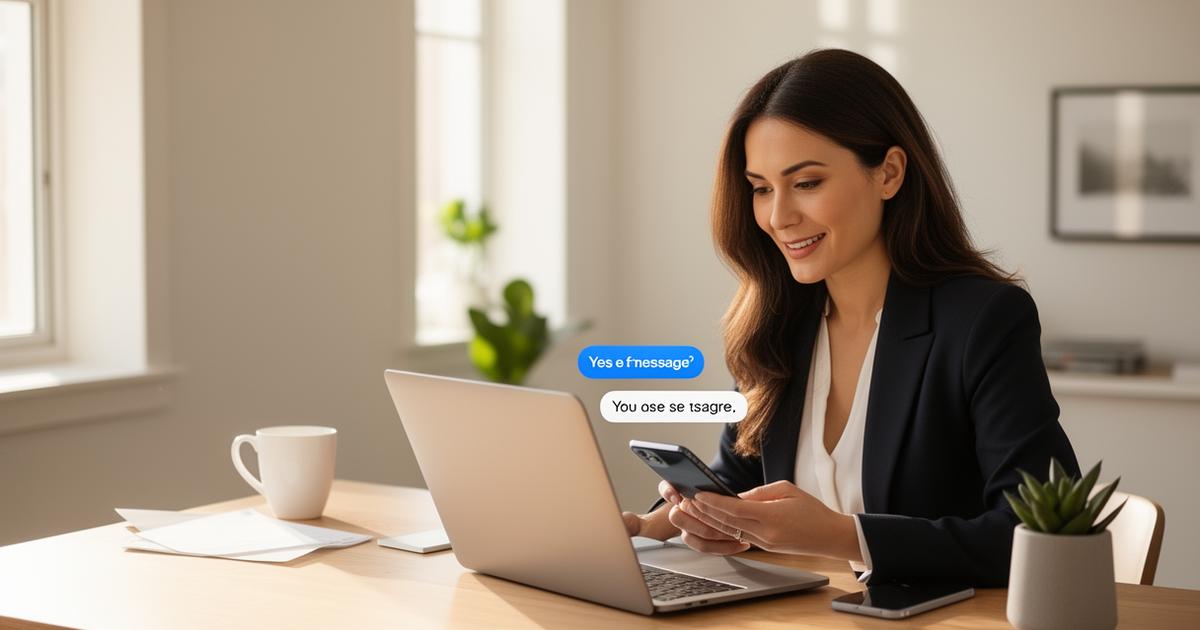
A text party is a virtual direct sales party run entirely over SMS. The consultant invites guests by text, shares product spotlights and exclusive offers over two to three days, and takes orders in the thread — no Facebook group, no Zoom link, and nothing for guests to download.
Ready to stop chasing hosts and run automated text parties with 98% open rates?
Start your 30-day free trial with Bella AI — no credit card required.
Start Free TrialNo credit card required · Cancel anytime · Bella AI included
A text party is a virtual direct sales party run over SMS — you invite guests via text broadcast, engage them with product spotlights and exclusive offers over 2–3 days, and follow up individually to close sales. No Facebook group, no Zoom link, no app downloads required for guests. With the right direct sales CRM, you can manage your entire guest list and follow-ups in one place. If you're moving off a contacts-only tool, a texting-first Connection Point alternative keeps the CRM and the party in the same app.
The appeal over a Facebook party is straightforward: a text goes to each guest's own inbox rather than into a feed where a platform decides who sees it, and the thread stays on their phone so a guest who was busy can scroll back and order later. Whether that turns into sales still depends on your list, your offer and your follow-up. This guide covers how to run one.
What Is a Text Party?
A text party is a virtual direct sales party conducted entirely over SMS text message. Instead of hosting on Facebook Live, Zoom, or a Facebook group, the consultant runs the entire event through text — broadcasting messages to a group of opted-in guests from a dedicated business number.
Here's what makes it different from a standard group text:
- Guests opt in by texting a keyword (like "PARTY") to your business number — they're never added without consent
- You broadcast to everyone at once, but replies come back to you privately (not to the whole group)
- No app required for guests — it works on any phone, any carrier, any age group
- No algorithm decides who sees your messages: your party messages go to the guests on your list rather than to a ranked feed, though eligibility, your schedule and carrier delivery still apply
The result is a sales party that feels personal and lands in the texting app your guests already use every day. It works for any direct sales line — see a worked example on the Pampered Chef text party page.
How Does a Text Party Work? (Step by Step)
Step 1: Get a Dedicated Business Number
You'll need a separate phone number for your business — not your personal cell. This keeps your personal number private, gives you a professional presence, and gives you one place where opt-ins and STOP requests are recorded. Most text party tools (including PartyPerfect Pro) offer a dedicated business number as part of paid messaging setup.
Step 2: Invite Guests to Opt In
You invite people to your text party by giving them a simple instruction: "Text PARTY to [your number] to join!" You can share this on Facebook, Instagram, via email, or in person. When they text the keyword, they're automatically added to your party guest list. A keyword opt-in is the cleanest way to record that a guest asked to hear from you. Be clear about what they are signing up for, and treat a party opt-in as permission for that party and its follow-up rather than for unrelated marketing later. Our SMS compliance guide goes deeper before you scale your list.
Step 3: Run the Party via Broadcast Messages
On party day, you send a series of broadcast texts to your guest list — product highlights, games, giveaways, host specials, and calls to action. Each message lands in every guest's personal inbox. They feel like VIP texts, not group announcements. You can include images, links to your shop, and even short videos.
Step 4: Take Orders by Text Reply
Guests who want to buy simply reply to you. Since replies are private (only you see them), there's no awkward public sales pressure. You get real one-on-one conversations with each interested guest — which converts far better than public comment threads.
Step 5: Follow Up After the Party
The party ends, but your guest list stays. You can follow up with everyone who joined — thanking them, sharing a post-party special, or asking if they'd like to host their own. Keep sending only to guests who have not opted out, and honor a STOP the moment it arrives. For the exact follow-up scripts, see our text scripts guide — and when someone says yes to hosting, walk them through the host rewards they can earn so they know what they are working toward.
Text Party vs. Facebook Party
Wondering how a text party stacks up against what you're used to? Here's the honest comparison. (For a deeper dive, see our full Text Party vs. Facebook Party breakdown.)
| Factor | Text Party | Facebook Party |
|---|---|---|
| Reach | Your opted-in list | A share of the group sees the post |
| Platform risk | Carrier and provider rules still apply | High (Facebook jail, bans) |
| Algorithm | No algorithm | Suppresses most posts |
| Guest friction | Zero (no app, no login) | Requires Facebook account |
| Where it lands | The guest's text inbox | A feed the guest has to open |
| Consent | Explicit opt-in you record | Group membership, not consent to text |
The trade-off is control: a text list is yours, and a Facebook audience is rented. That is why some consultants have stopped relying on Facebook entirely.
What Do You Need to Run a Text Party?
The good news: the setup is simpler than you think. You need three things:
- A dedicated business phone number — Not your personal cell. A local 10-digit number assigned to your business account. This is what guests text to join your party.
- A broadcast SMS tool — Regular texting apps don't support keyword opt-ins or mass broadcasts. You need a platform built for this — the best text party software for direct sellers, like PartyPerfect Pro, which handles the number, the opt-in keywords, the broadcast tool, and opt-out tracking in one place.
- A contact list and party scripts — The people you'll invite (existing customers, warm leads, your host's network) and what you'll say during the party. We've got sample scripts for you below.
That's it. No tech skills required. If you can send a text, you can run a text party. For the full walkthrough — party length, message cadence, and what to send on each day — work through the complete guide to text parties.
Example Text Party Scripts: What to Actually Say
Here are four scripts you can swipe and customize. They map to the four moments that matter in a 2–3 day party: the invite, the kickoff hour, the last call, and the follow-up after it closes. Replace the bracketed details before sending.
Script 1: The Invite Text
Hey [Name]! 🎉 I'm hosting a text party [start day]–[end day] — exclusive deals, giveaways, and you shop from your couch. We kick off [start day] at [time], and the party stays open all week so you can shop whenever it suits you. No Facebook, no Zoom — just texts!
To join, just text PARTY to [your number]. That's it! See you there 👋
Script 2: The Kickoff Hour Opener
Send this at your announced start time. The next hour is your momentum window — back-to-back messages while the most guests are paying attention. The party itself keeps running for the next couple of days.
The party is LIVE! 🥳 Welcome, everyone! I'm [Name] with [Company]. For the next hour I'll be texting you our best products, deals, and a fun giveaway — and the party stays open through [end day], so you can shop whenever you get a minute.
To enter the giveaway: reply with your FAVORITE product from our line. I'll pick a winner when we close! Let's go 👇
Script 3: The Order Close
Send this on the final day, a few hours before you close orders.
Last call! 🛒 The party special closes tonight at midnight. Here's the link to shop: [link]
Reply "ORDER" and I'll personally help you check out. Or just shop directly at the link — takes 2 minutes!
Thank you SO much for shopping with me this week 💛
Script 4: The Post-Party Follow-Up
Send this a day or two after you close, individually, to the guests who never replied. This is the message most consultants skip.
Hi [Name], it's [Your name] with [Company]. Thanks for joining [Host]'s party this week! I know it was a busy few days.
Was there anything you had your eye on? Happy to answer questions or send you a photo. Reply STOP to opt out.
Scheduling those four moments by hand for every party is where the time goes. PartyPerfect Pro's text party software schedules the invite, kickoff and last call across the party window, automates your host-coaching sequence, and sends the follow-up to the guests who stayed quiet.
Frequently Asked Questions
How long does a text party last?
Most text parties run two to three days, not a single hour. Consultants usually open with a kickoff hour of back-to-back messages to build momentum, then keep the party going with a few spotlights and reminders each day until a final last-call message. The longer window is the point: guests shop when it suits them instead of having to be free at one scheduled time.
What permission do I need to text party guests?
Get permission for the messages you plan to send, explain what guests are signing up for, identify your business, and honor opt-outs. A party invitation is not unlimited permission for unrelated future marketing.
How many guests can join a text party?
It depends on your SMS platform's limits, but most tools support anywhere from 50 to 500+ guests per party. The sweet spot for engagement is usually 20–80 guests — enough to feel lively, small enough to feel personal. PartyPerfect Pro supports unlimited guests on every account.
What if guests don't reply?
Not everyone will respond in real time, and that is okay. Unlike a Facebook Live, your texts do not disappear. Guests can scroll back and shop at any point during or after the party, which is exactly what the post-party follow-up message is for. Focus on the guests who are engaging during the party, then follow up with the quiet ones personally after.
How do I collect payment at a text party?
Payment is collected through your company's normal online shopping link — the same way you'd take orders from any online party. During the text party you share your shop link, and guests checkout directly through your consultant website. You can also take custom orders by text and enter them manually.
Do guests need a special app to join a text party?
No. Guests just use their regular texting app — the same one they use every day. They text a keyword to your business number and they're in. No downloads, no logins, no accounts. This is one of the biggest advantages of text parties over Zoom or Facebook events: zero friction for guests.
Ready to Add Text Parties to Your Business?
PartyPerfect Pro gives you a dedicated business number, keyword opt-ins, broadcast messaging, and pre-written party scripts — everything you need to run text parties alongside your existing Facebook and in-home parties.
Ready to stop chasing hosts and run automated text parties with 98% open rates?
Start your 30-day free trial with Bella AI — no credit card required.
Start Free TrialNo credit card required · Cancel anytime · Bella AI included
The PartyPerfect Pro Team
Tips, scripts, and strategies from the team that built PartyPerfect Pro — the SMS-first platform for direct sellers.
Read Next

How-To
How to Run a Text Party: The Complete Step-by-Step Guide (2026)
Everything you need to run a successful text party from start to finish — how to set it up, what to post, how to coach your host, and how to close it out with maximum sales.
Read More
Strategy
Text Party vs Facebook Party: Why 98% Open Rates Win Every Time
Facebook parties get 12% reach. Text parties hit 98% open rates. See the data on why direct sellers are switching to SMS parties in 2025.
Read More
Feature
Host Parties on YOUR Platform, Not Facebook's
Stop fighting algorithms and Facebook jail. Run virtual parties with 100% reach, full guest data, and zero platform risk — on a platform you control.
Read MoreTools for your company
Sell for a specific direct sales company? Get the tailored toolkit — booking, host coaching, text scripts, and follow-up built around how you actually sell.
Free tools for direct-sales consultants
Grab either one free. No credit card, no account needed.